Know what's due without opening the app.
Put a Youbei widget on your Home Screen to see upcoming expiries at a glance — and inline, circular or rectangular ones on the Lock Screen.
Highlights
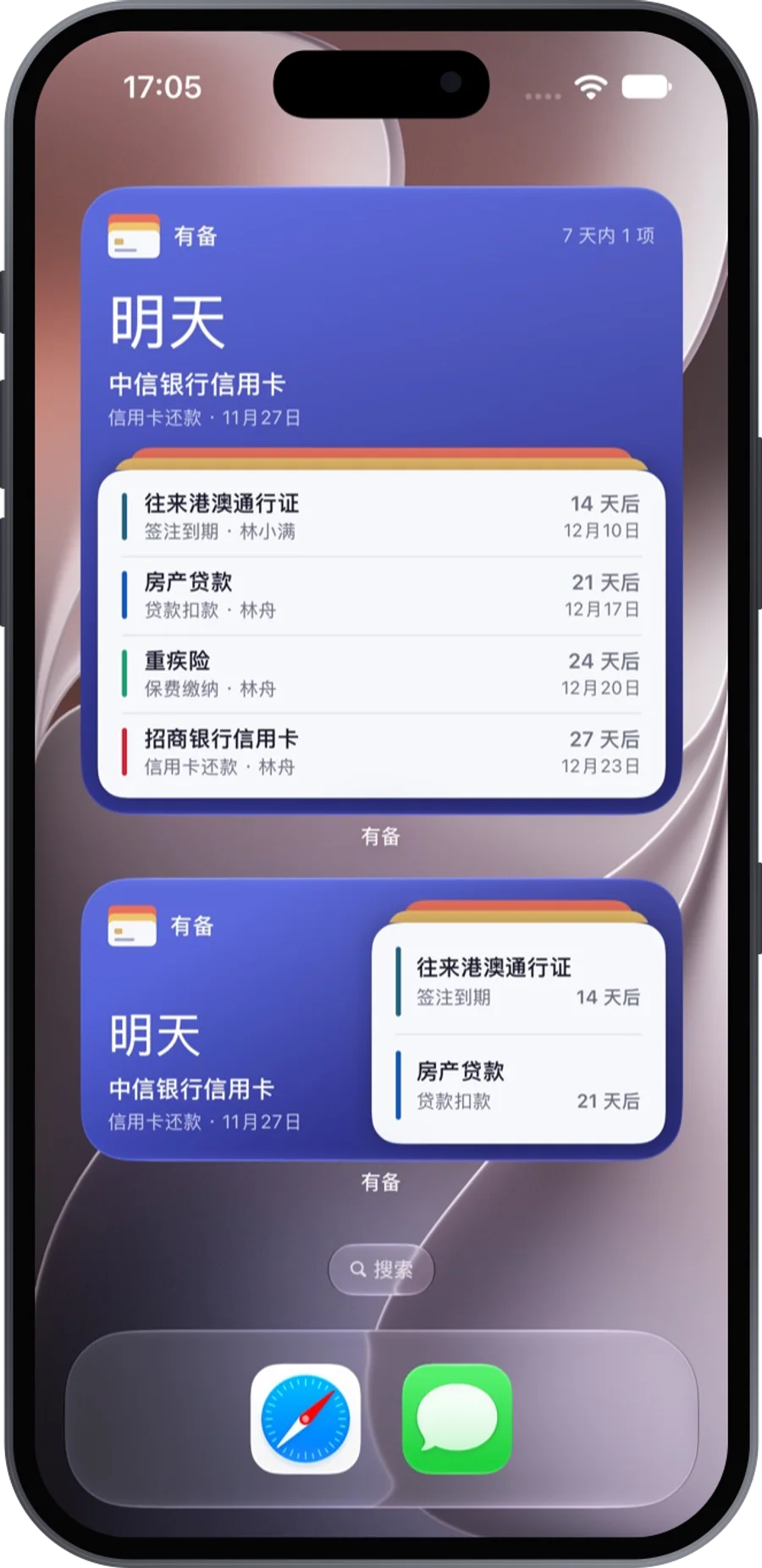
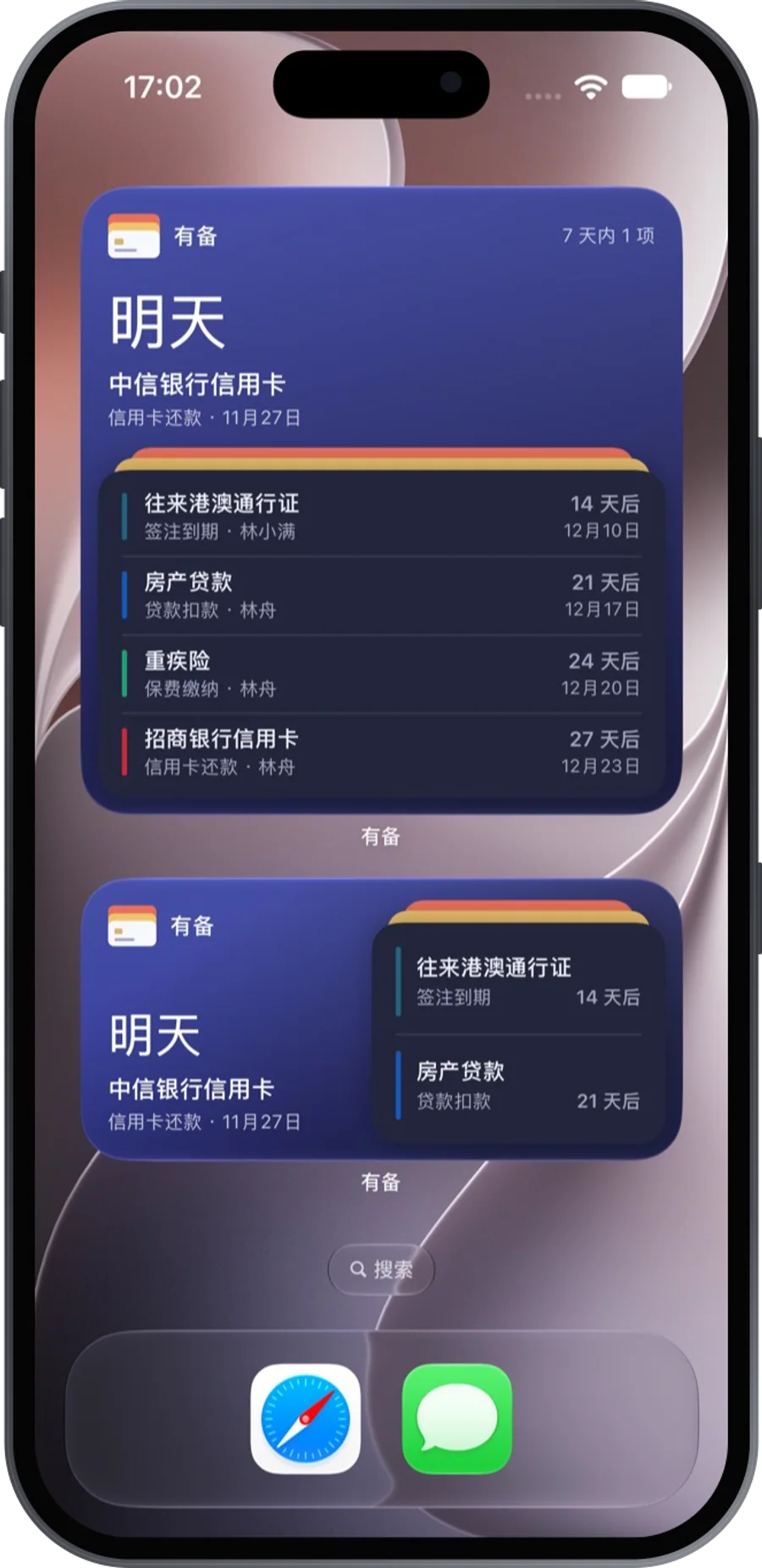
Three Home sizes
Small shows the next item; medium and large list the next few.
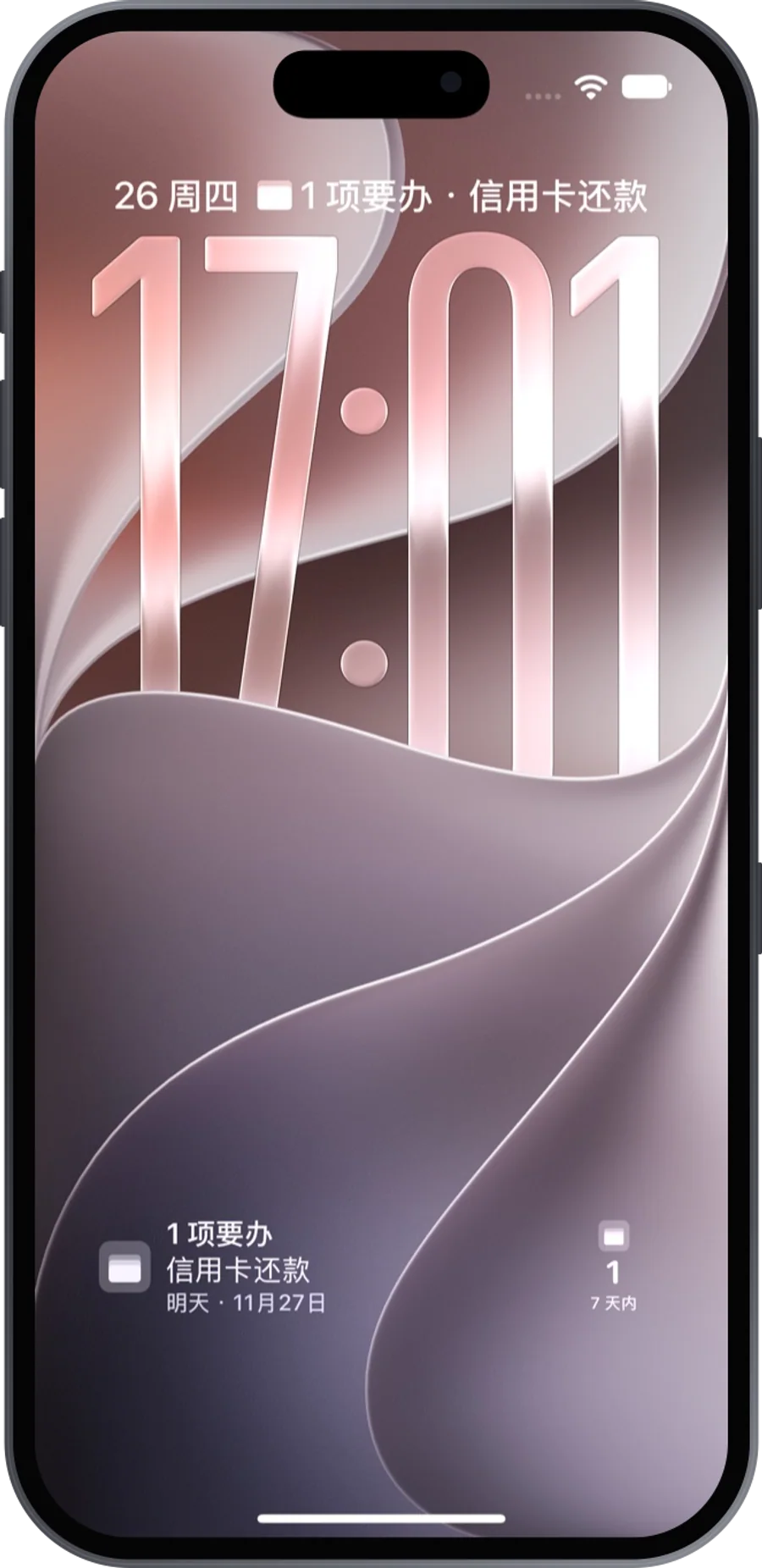
Lock Screen
Inline, circular and rectangular — only the count and the type of the next item.
No numbers
Records with long numbers in their names show only the type; private records say “Private record”.
Tap to open
Tap the widget for reminders; tap an item on medium and larger widgets to open that record.
On your Home Screen
Touch and hold an empty area of the Home Screen, tap Edit › Add Widget, search for Youbei and choose a size. Widgets show the next 30 days and update themselves at midnight.
- The summary refreshes when you open the app; if it's been a long time, the widget asks you to open Youbei
Light or dark
Widgets follow the system's light, dark and tinted appearances.
Lock Screen: only what's needed
Anyone can see your Lock Screen, so it only shows how many things are due and the type of the next one, e.g. “1 to do · Card payment”.
- With “Show record names in notifications” off, widgets show only types, not people
Good to know
- Widgets never read the library — only a due-date summary the app writes, which contains no numbers or amounts.