It remembers before you do.
Enter an expiry date and you have an expiry reminder; enter a statement day and you have a monthly payment reminder. No need to set them up one by one — and each lead time can be changed.
Highlights
Created from records
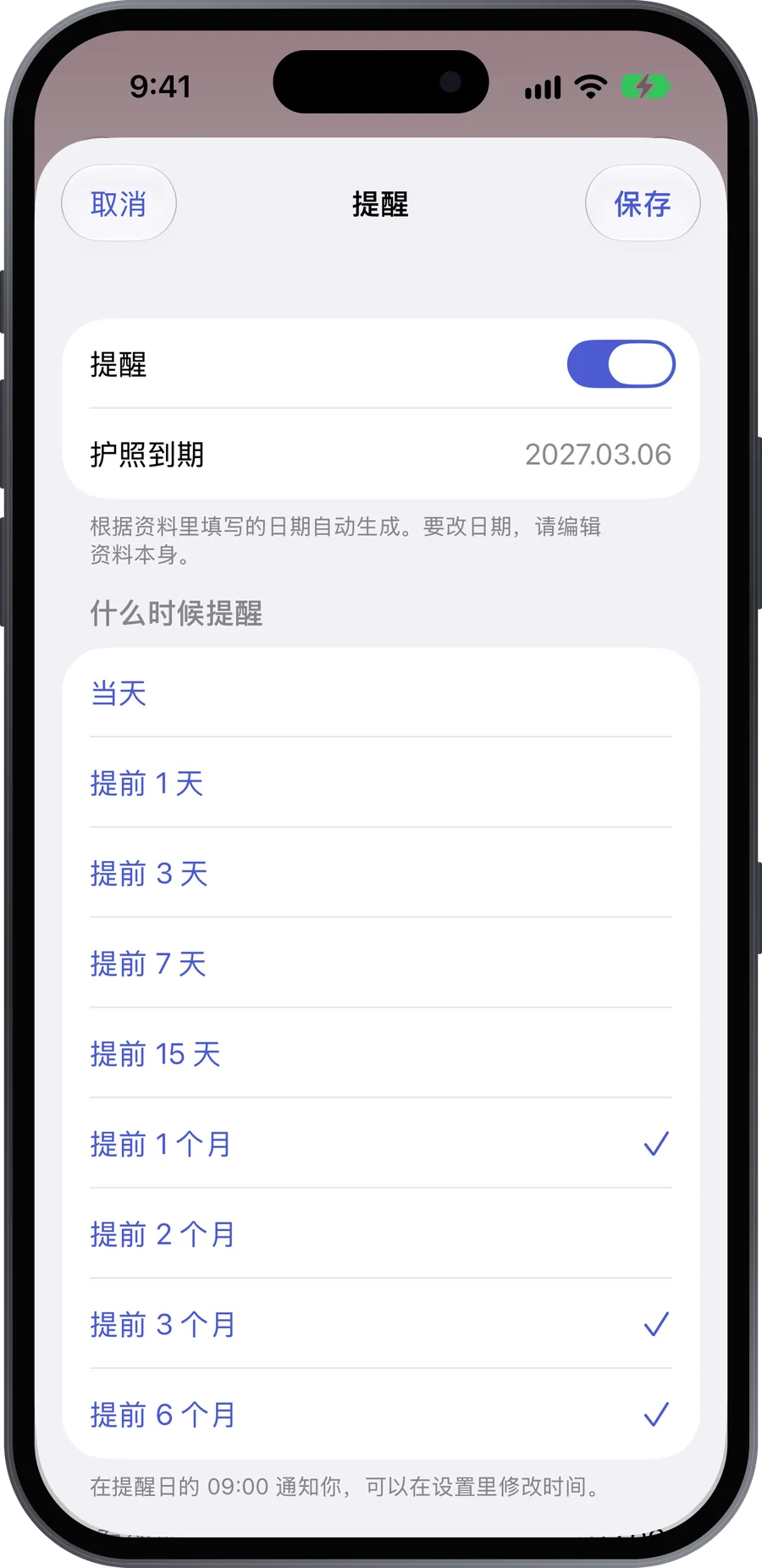
Every type has default rules: passports at 6, 3 and 1 months; endorsements at 30 and 7 days.
You choose the lead
On the day, or 1 day to 6 months ahead, several at once; notified at 09:00 (changeable).
Mark as paid or done
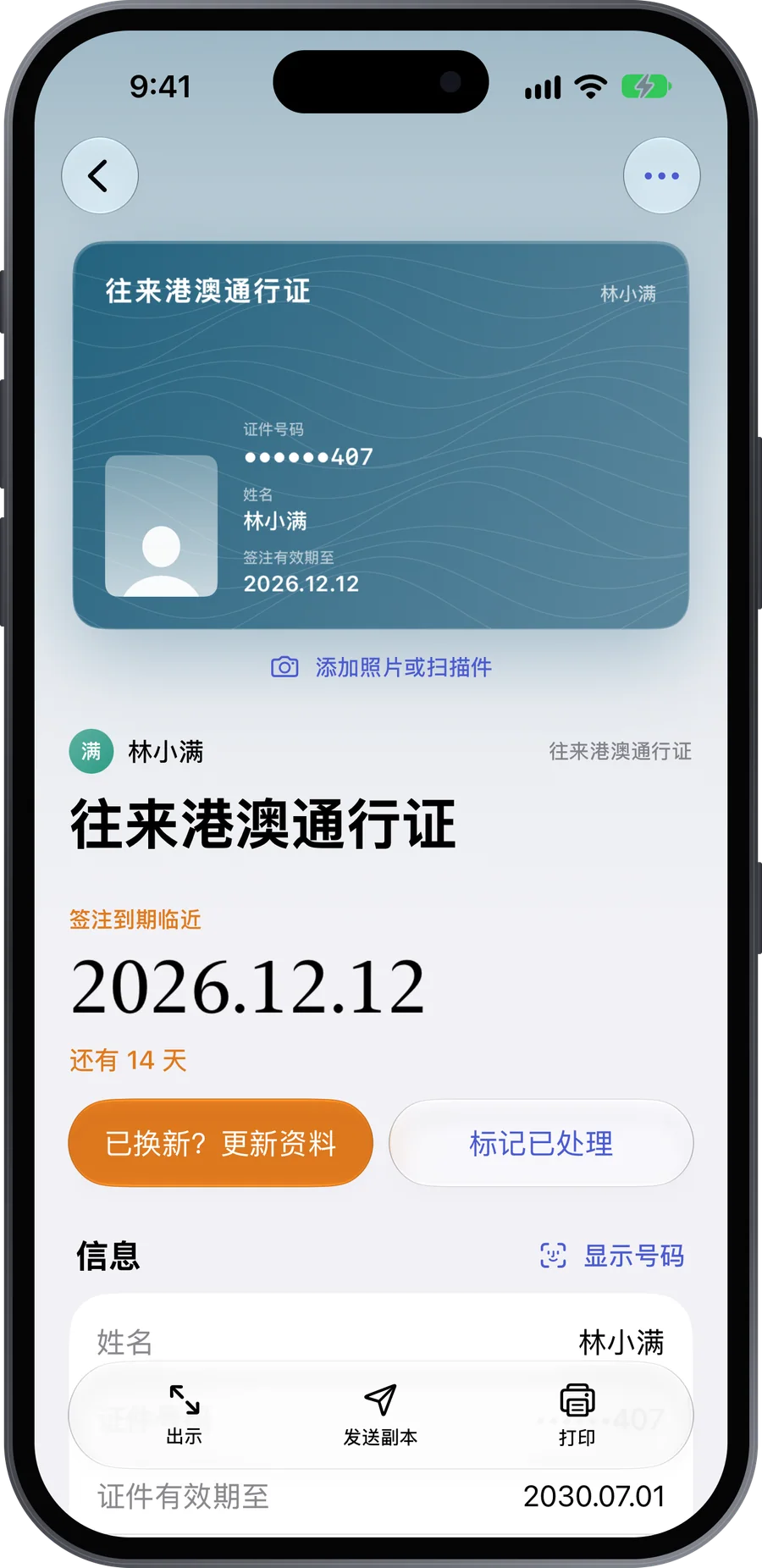
Paid the card? “Mark as paid”, with the amount if you like. Renewed an ID? “Renewed? Update record”.
Everything on one page
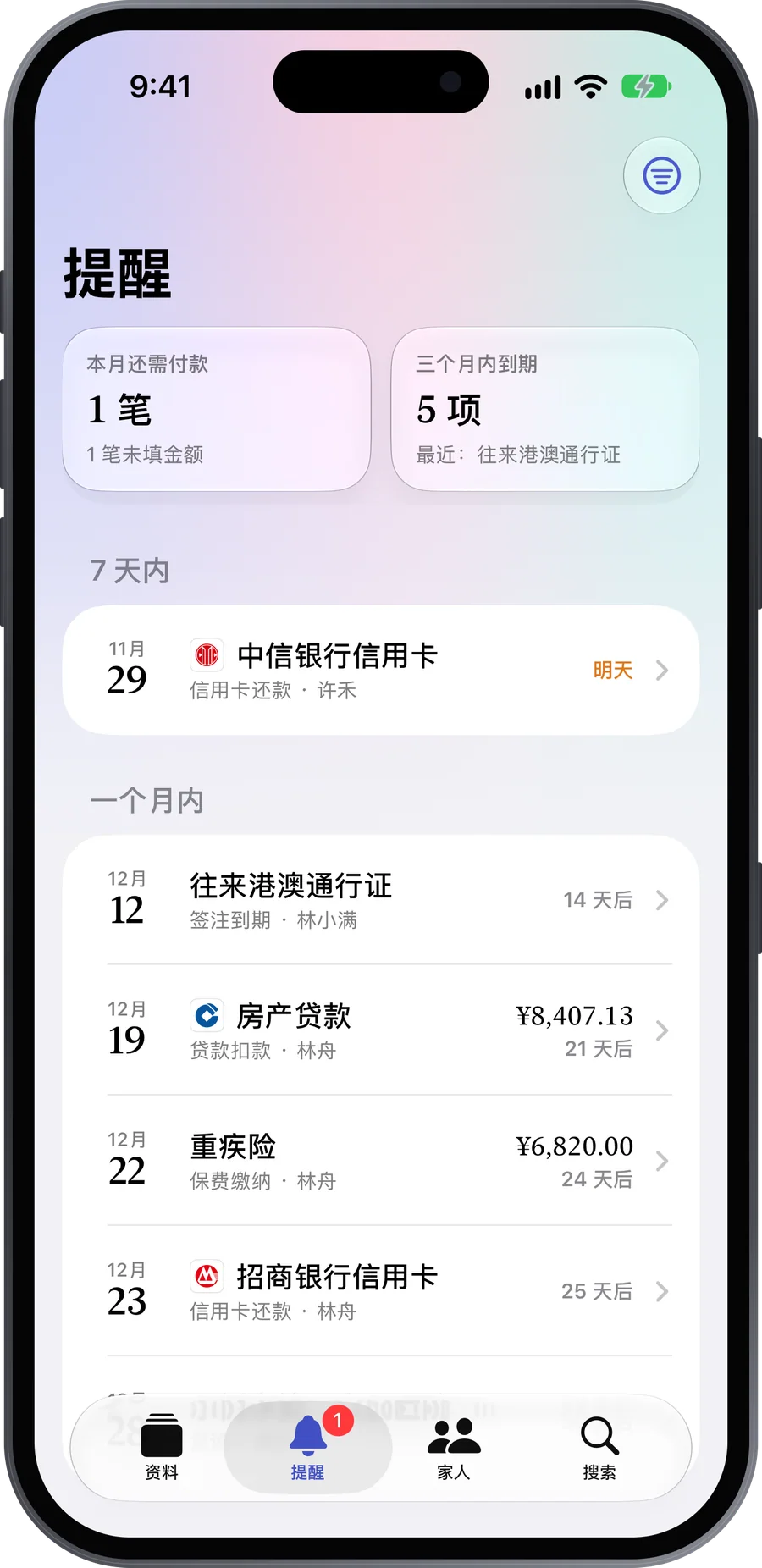
Grouped by the next 7 days and month, with this month's payments and items expiring within three months on top.
Discreet notifications
No numbers or amounts; turn off “Show record names in notifications” to show only the type.
Custom reminders
Add one-off or repeating reminders to any record, beyond the built-in rules.
Everything due, in time order
The reminders page brings the whole family's to-dos together: tomorrow's card payment, an endorsement expiring in two weeks, the mortgage debit at month end. Each shows whose it is, what it is and how many days are left — with amounts where there are any.
- Several reminders on the same day become one notification
- For family-space records you can choose “I don't need reminders” on this iPhone
Tune each reminder
Open a record's reminder to turn it off or change how far ahead it fires. Dates come from the record's fields, so change the date by editing the record; your on/off choices and lead times are kept when you edit.
Done? Move on
When a document is about to expire, its page offers “Renewed? Update record”: enter the new one, the old version is kept as history and reminders move to the new date. Monthly payments move to next month once marked as paid.
- “Mark as paid” only records status — it never pays anything
- Paid amounts feed the last-12-months payment chart
Good to know
- Reminders are local notifications scheduled on the device, with no server involved. Allow notifications for Youbei in iOS Settings.
- Health-related notifications only say “doctor's visit” — never the hospital or condition.