
Ready to hand over, and safe from misuse.
Show it full screen at the counter. When a copy is needed, make one watermarked with its purpose to send or print. To pass several records to family, bundle them into an encrypted package.
Highlights
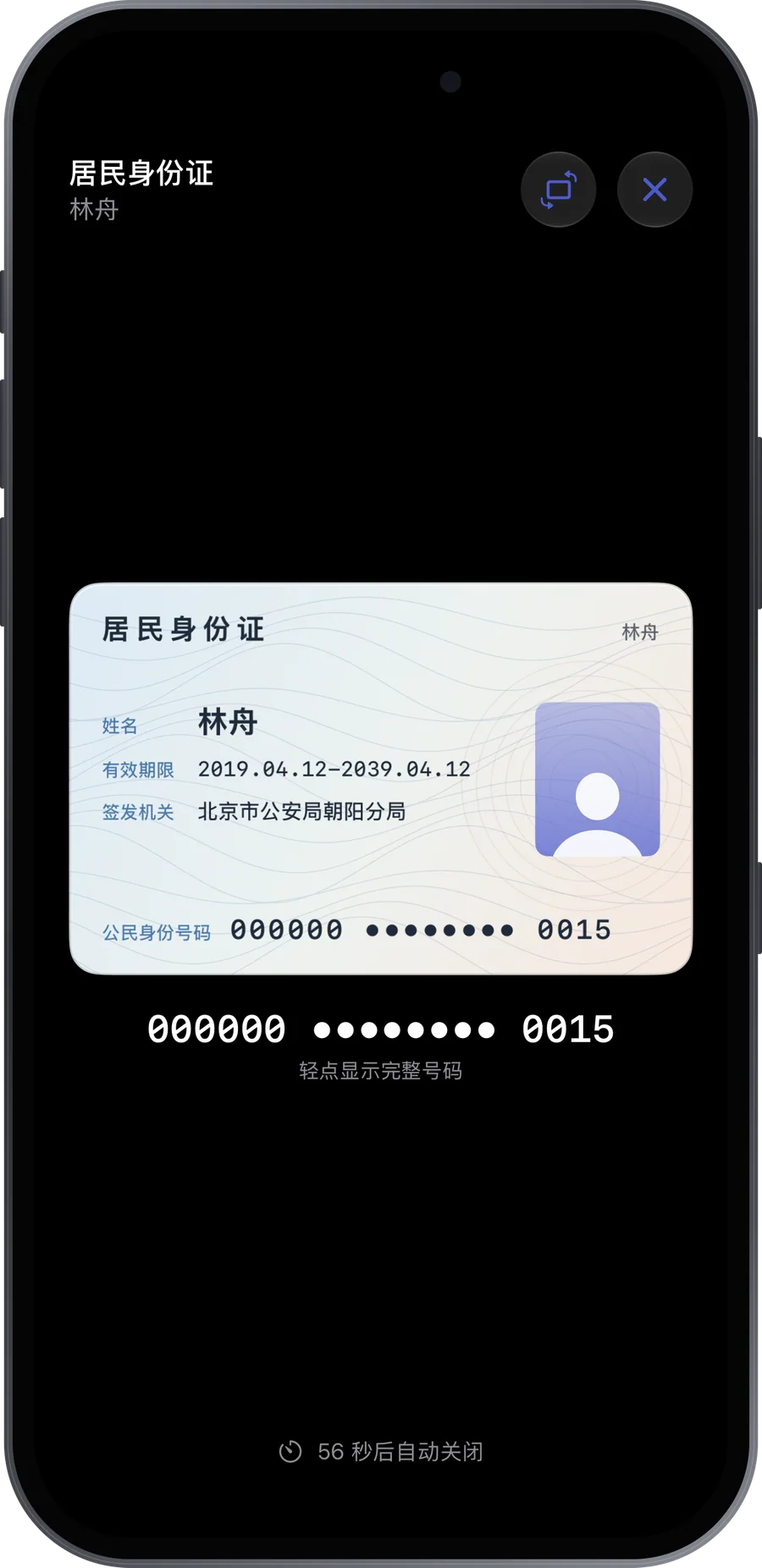
Full-screen show
Photos and number full screen; tap to reveal the full number; closes after 60 seconds.
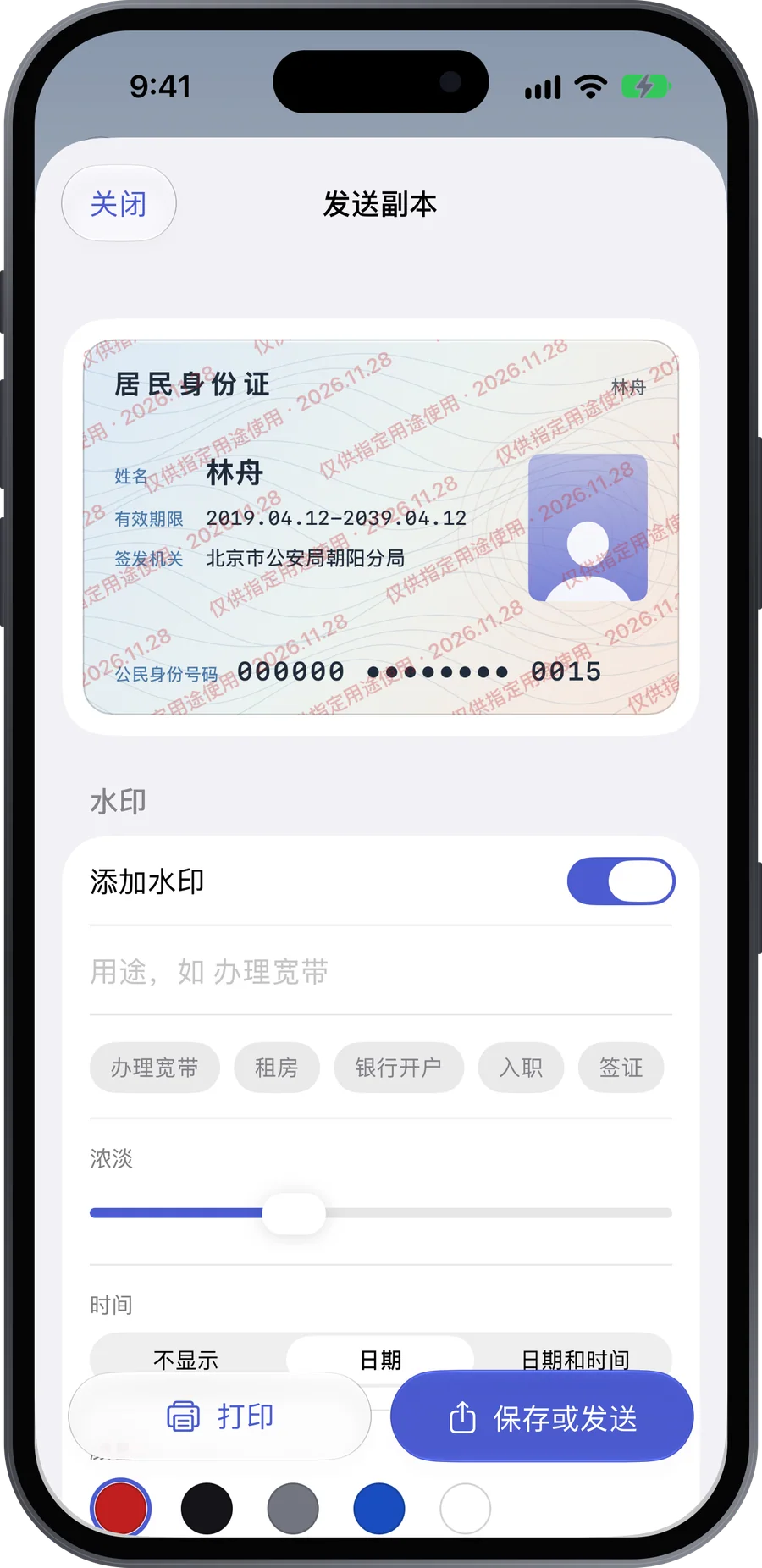
Purpose watermark
“For broadband setup only · 2026.11.24” — adjust strength, colour, and whether to include date and time.
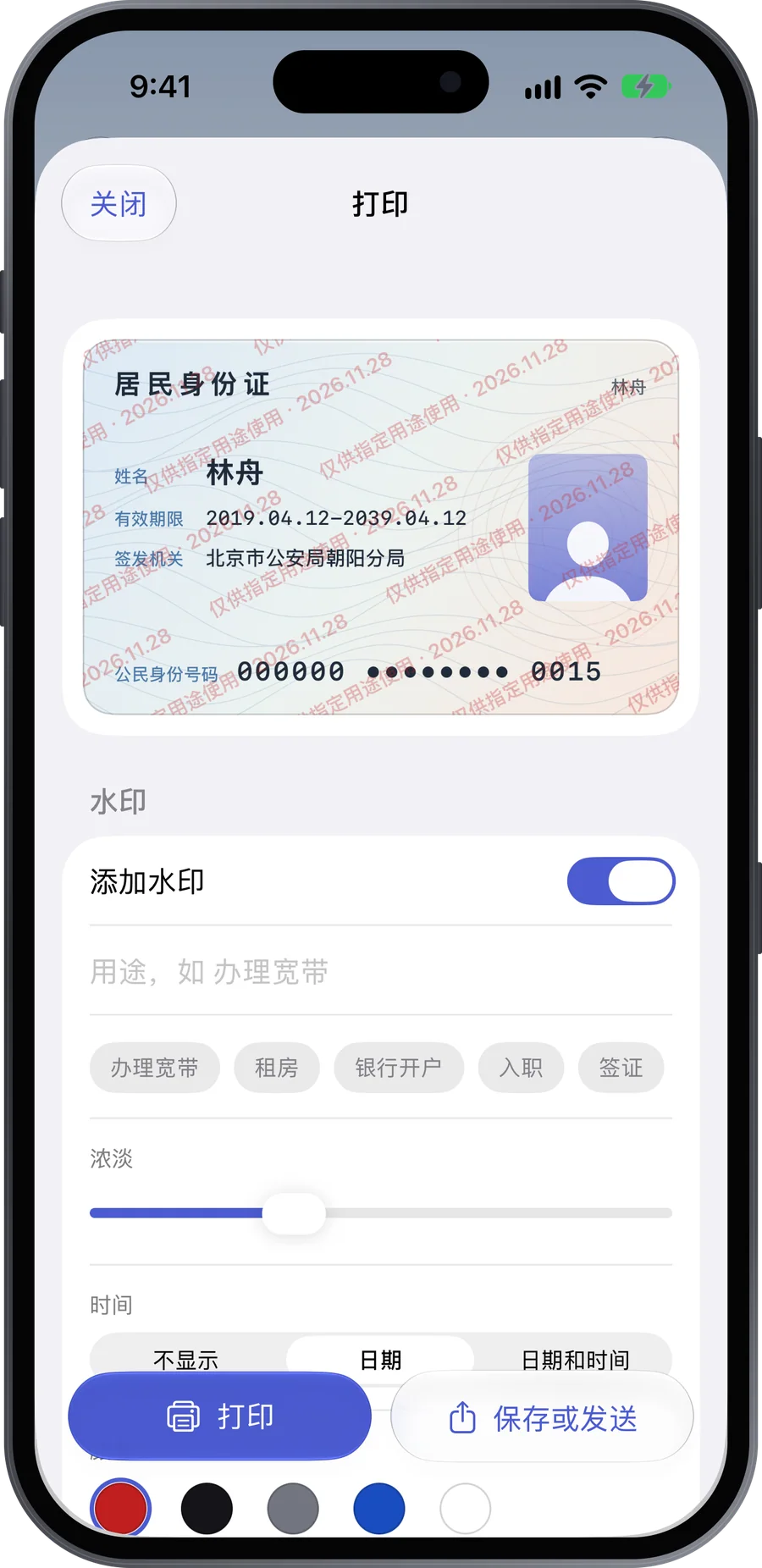
Both sides, one page
Print the front and back of an ID or bank card on one A4 sheet at real size, watermarked if you like.
Export PDF
Export selected records (all pages) as one PDF or a set of images for an agent or employer.
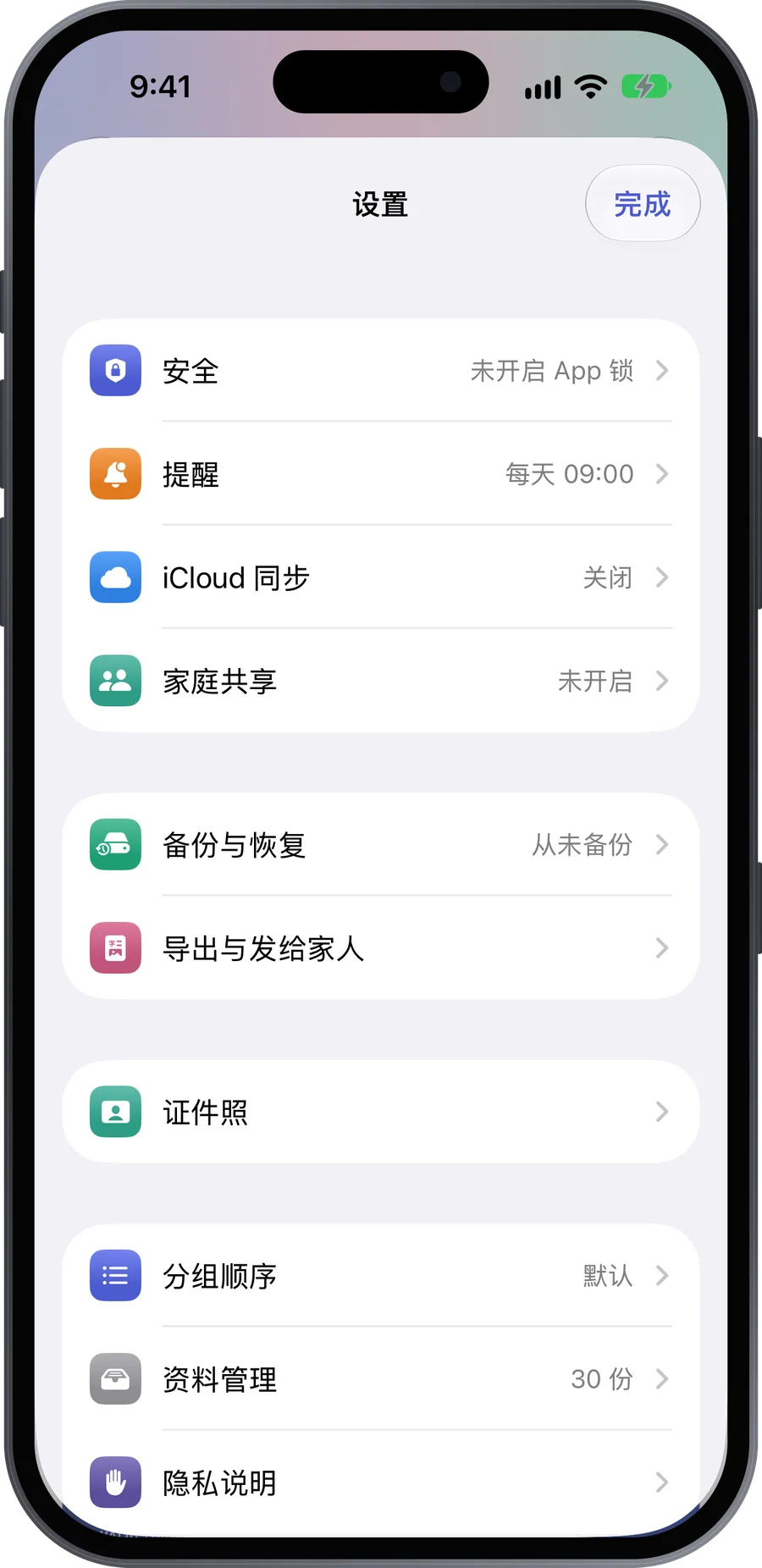
Encrypted package
Selected records with photos and reminders, encrypted with a password into one .youbei file.
Metadata removed
Exports have capture time and location removed; temporary files are deleted after sharing.
Show: one screen for the clerk
Tap “Show” on a record and its photos fill the screen. The number is masked until you tap it. It closes itself after 60 seconds; tap the timer to keep it open.
- Showing requires verification (Face ID or passcode)
- Swipe between pages for multi-page records
Copies: say what they're for
“Send copy” and “Print” can both add a tiled watermark. Common purposes are one tap away — broadband, renting, bank account, onboarding, visa — or type your own. Colours: red, black, grey, blue, white (white suits dark cards).
- Send to WeChat or email through the share sheet, or save to Photos
- Copies never include the original photo
Print: front and back on one A4
For two-sided records like ID and bank cards, choose “Print front and back on one A4 (real size)” to get a PDF for your printer. Other records print page by page.
Packages: the right way to hand over
In Settings › Export & send to family, choose records, set a password of at least 10 characters and export one .youbei file to send however you like. The recipient opens it in Youbei, enters the password, chooses whose records they become and merges.
- Packages carry only cropped pages — no originals or cover data
- You're warned when the selection includes visits or checkups
Good to know
- Sending, printing and watermarking ask for verification every time.
- The recipient needs Youbei to open a package; to send just an image or PDF, use “Send copy”.