Family matters, prepared together.
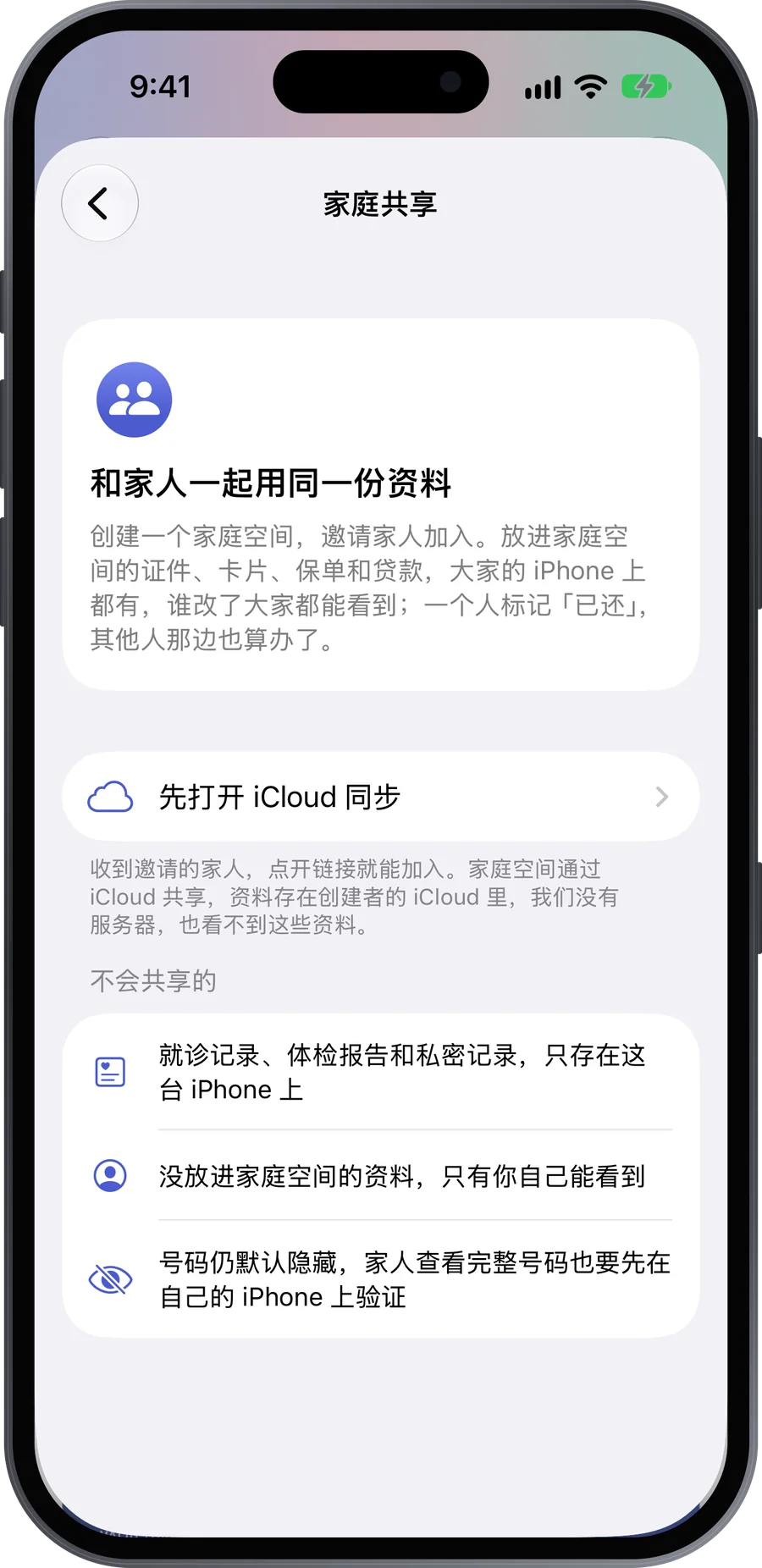
Everyone's records sit under their own name. To manage things with your partner or parents, create a family space shared through iCloud. We have no server — shared records live in the creator's iCloud.
Highlights
People first
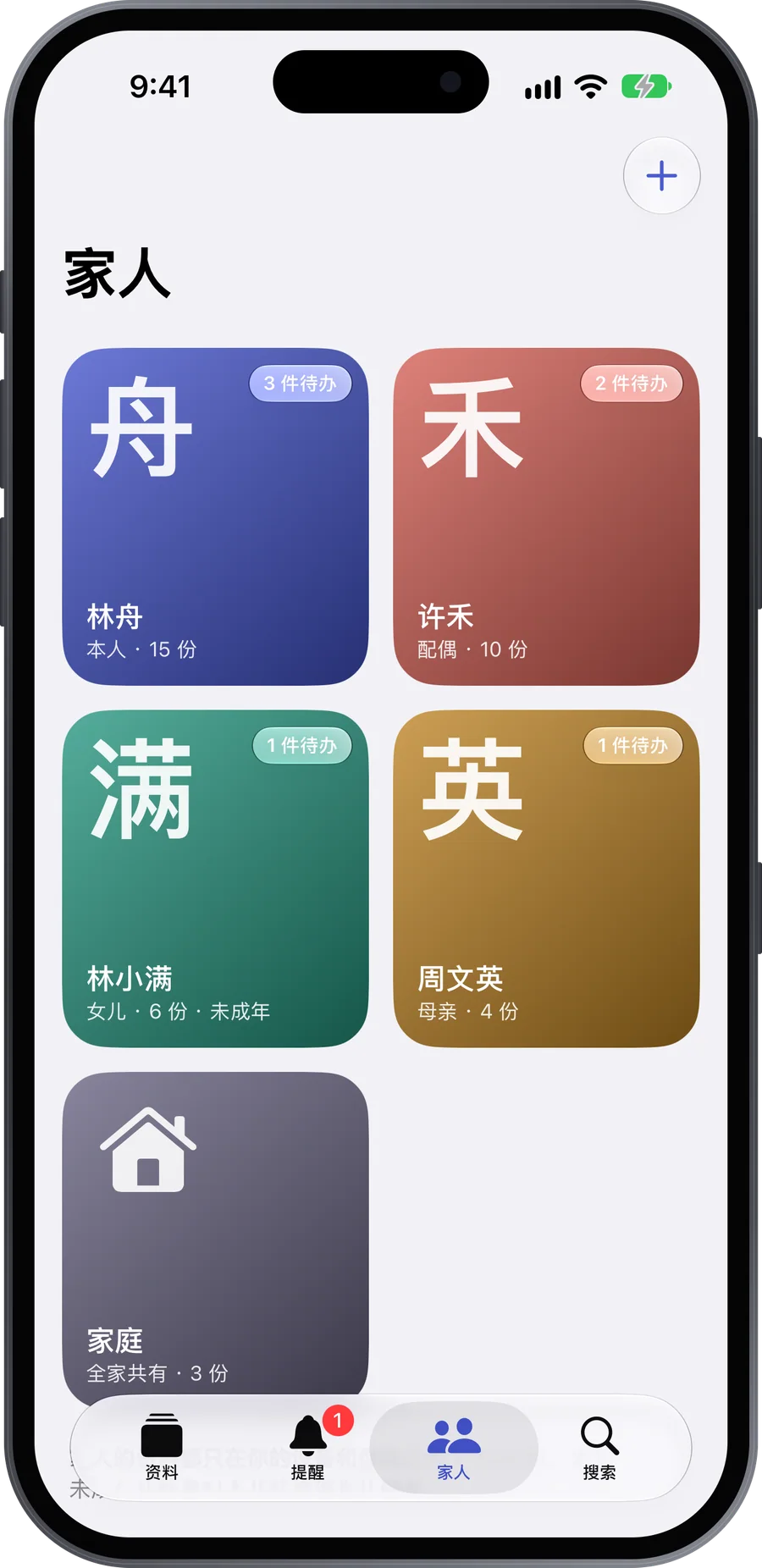
Name, relationship, avatar, minor or not. Each person has a page with to-dos, health and records.
Family spaces
IDs, cards, policies and loans in a space are on everyone's iPhone; everyone sees changes.
One marks, all know
Mark a bill paid and it's done for everyone; the record shows who changed it last.
Easy invites
Invite by phone number or Apple Account email via Messages, Mail or AirDrop, or copy a link for WeChat.
Share just one
“Share this one” on a record shares only that record; ownership stays with you.
Some stay private
Doctor's visits, checkup reports and private records stay on this iPhone and can't join a space.
Family page: one big card each
The Family tab shows a card per person with relationship, record count and to-dos. Last comes “Family” for household documents like the register or property deed. Press and hold to reorder.
- Adding a child under 14 requires guardian consent
- Avatars sync and back up with the records
Family spaces, through iCloud sharing
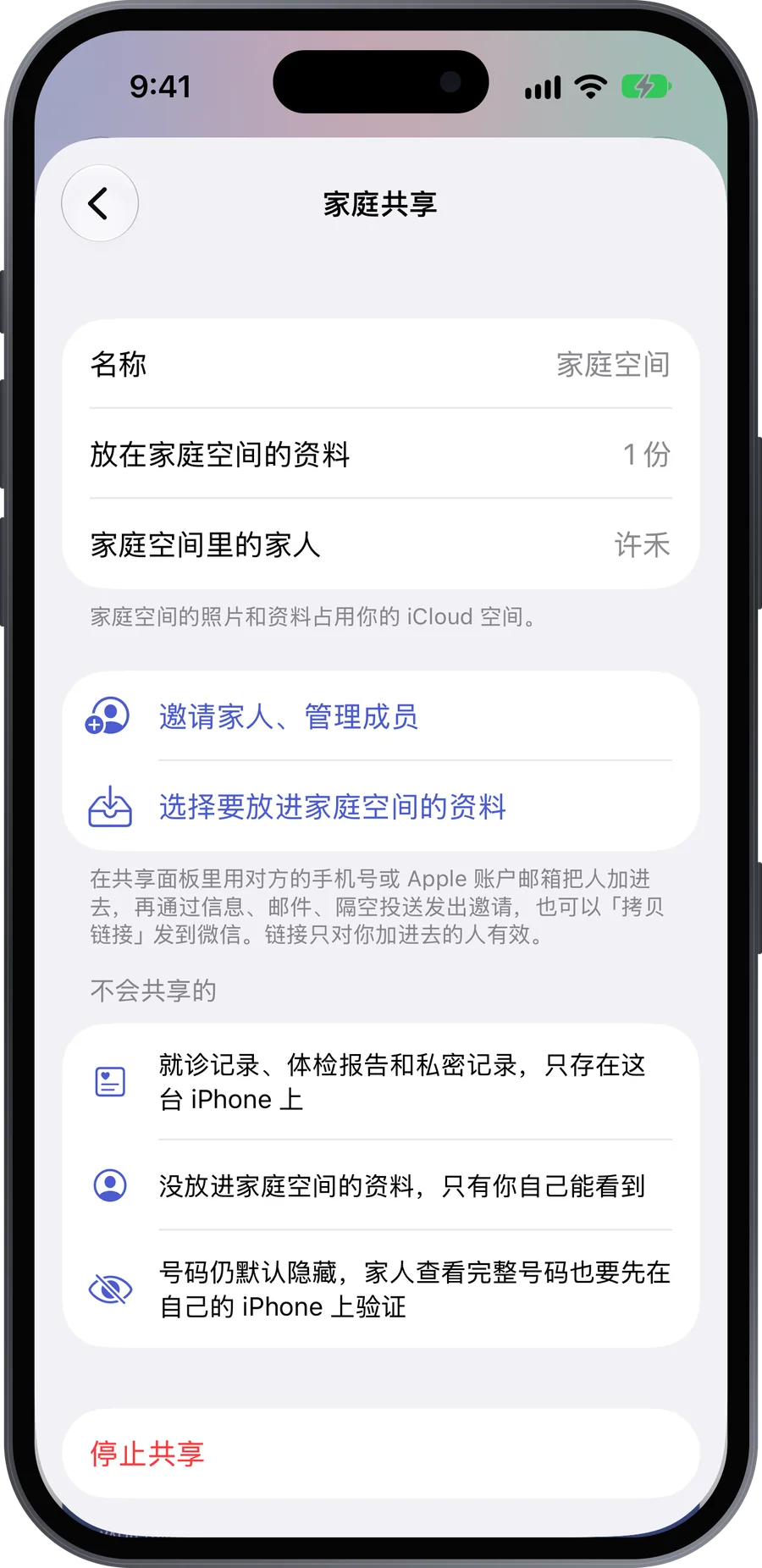
Create a space in Settings › Family sharing, choose which records go in, then invite family. Records live in the creator's iCloud and use the creator's storage. You can have several spaces — say, “Our home” and “My parents'”.
- Members can be set to view only
- If two people edit the same record at once, changes merge field by field
- When leaving a space you can keep a copy in your own records
- If the creator stops sharing, records return to the creator's own library
Numbers stay protected
Sharing doesn't lower protection: numbers are still masked, and family members verify on their own iPhone to see them in full. Records outside the space are visible only to you.
Good to know
- Family sharing needs iCloud sync turned on, and everyone signed in to an Apple Account.
- “I don't need reminders” applies to this iPhone only.